Keep the original protection session available
Restoration uses the links between placeholders and original details that were created when you protected your text. A placeholder alone does not contain the original value.
For the website tool, keep the tab where you protected the text open. For the extension, keep the AI tab open or use recovery that you set up before the mappings were lost.
Restore an answer in the website tool
Copy the AI’s answer.
After using your protected text with AI, copy its answer including the placeholders. Asking the AI to leave placeholders unchanged can help preserve them, but check the response yourself.
Return to the same LegisComply tab.
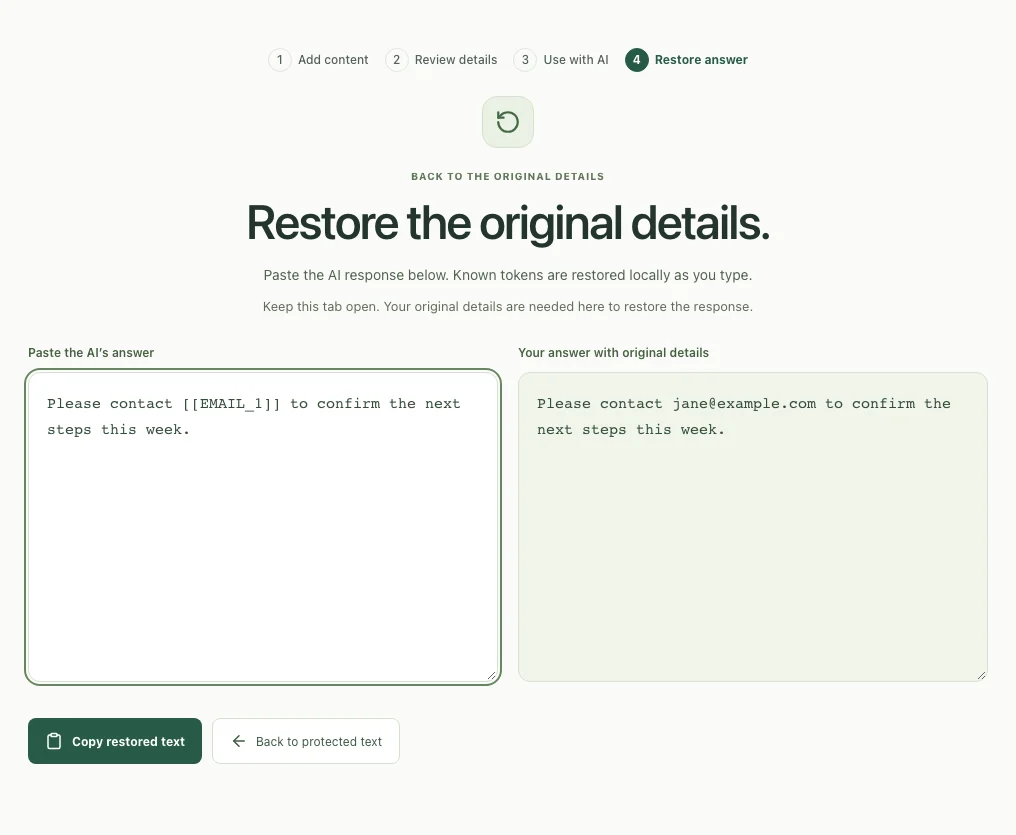
From the protected result, select Restore AI response. Paste the answer into Paste the AI’s answer. The tool restores recognized placeholders as you type.
 Open full size ↗
Check the restored answer and copy it.
Read Your answer with original details. Compare names, amounts, and references against your source. Restoration replaces known tokens; it does not check whether the AI’s wording or facts are correct. Select Copy restored text when ready.
Use Back to protected text to inspect the protected copy again. Keep this tab open until you have finished with the response.
Restore inside an AI chat, or after returning
The extension can restore recognized placeholders directly in the displayed conversation while their mappings are available. Website-tool mappings and extension mappings belong to separate workflows.
Set up recovery before you need it.
Open the extension’s Conversation recovery section or, in newer versions, Keep details for later (optional). Create and confirm a recovery password, then enable recovery. Save that password somewhere safe; LegisComply cannot reset it.
Keep recovery available for the work you want to save.
Choose a retention period offered by your version. Recovery stores mappings encrypted in this browser, not a copy of your chats or documents. Setting it up later cannot recover mappings that are already lost.
Unlock recovery when you return.
Use the same browser profile and unlock recovery with your password after a browser restart or extension update. Reopen the protected conversation and check any restored details against your source.
Restored originals are visible in the AI webpage, where the site’s scripts may read them. Copy only the version you intend to share. Read about the processing boundaries.
When something doesn’t look right
Troubleshooting
The AI answer has no placeholders to restore.
An AI may omit a recipient or project even when asked to keep placeholders. Restoration cannot insert missing information. Compare the draft with the protected source, correct its wording, and insert only the exact tokens you can verify in the same session. The client-email example shows this failure and a human-edited correction.
Copy restored text does not work.
If your browser denies clipboard access, select the text in Your answer with original details and copy it manually. Check the destination before pasting: this version contains the restored original details.
The answer still contains placeholders.
Confirm you are in the same website tab or the correct extension session. Check that the placeholder exactly matches the protected copy. If the AI edited its brackets, spelling, or identifier, compare with the source; do not guess which original detail belongs there.
I refreshed or closed the website tab.
The website’s mappings are held in the protection session. If that state has been lost, placeholders cannot reconstruct the originals. Use your source to prepare a new protected copy and repeat the task if needed.
I forgot the extension recovery password.
LegisComply cannot reset it or decrypt the saved mappings for you. If a still-open chat has usable in-memory mappings, finish that work before closing it. Otherwise refer to your original source; do not assume saved mappings can be recovered.
Recovery is unlocked but a detail is still missing.
The mapping may never have been saved, may have expired or been deleted, or may belong to another browser profile. Recovery cannot recreate missing mappings. Check your source and the exact token in the protected message.
Can this restore blacked-out image details?
No. Text placeholders are reversible when their mappings are available. The screenshot tool permanently replaces selected pixels in the exported image. Use the original image if you still have it.
Still stuck?
Tell us which tool you used, what you clicked, and what happened. Include your extension version if relevant. Cover private details in any screenshot you send.
[email protected]